Powershell Basics

These are the wargames from underthewire
Century
Century 0-1
The password for century1 is century1. That we can find in the slack channel
Century 1-2
Look for the build version of powershell 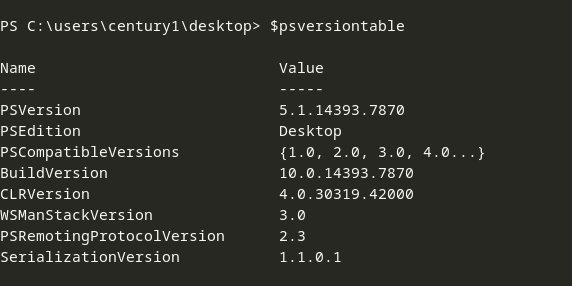
Hence password for century2 is 10.0.14393.7870
Century 2-3
The equivalent of wget in Powershell is Invoke-WebRequest And the file in desktop is 443
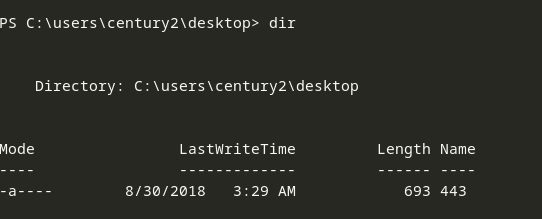
Hence the password for century3 would be invoke-webrequest443
Century 3-4
We need to get the number of files in Desktop 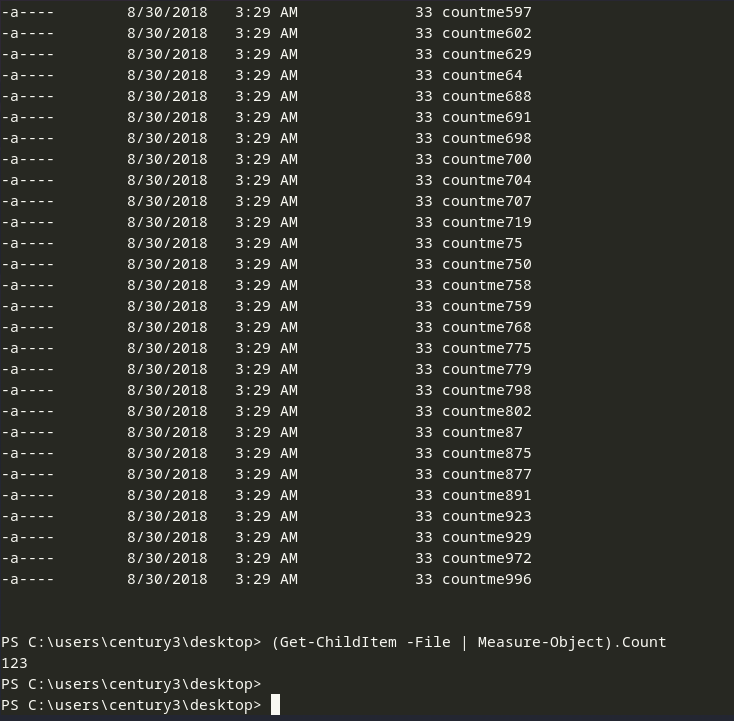
The command - (Get-ChildItem -File | Measure-Object).Count Get-ChildItem - List all the files and directories in a specific location -File - This flag, lists only the files, excluding the directories Measure-Object - It calculates count, sum etc. .Count - Gets the count
As all the objects in the Desktop directory are files, it can also be done as -
1
(dir | Measure-Object).count
Hence the password for century4 is 123
Century 4-5
We just need to enter the directory name in quotes 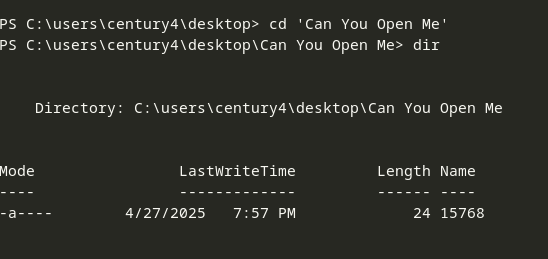
Hence the password for century5 is 15768
Century 5-6
Following are the different ways of getting domain information -
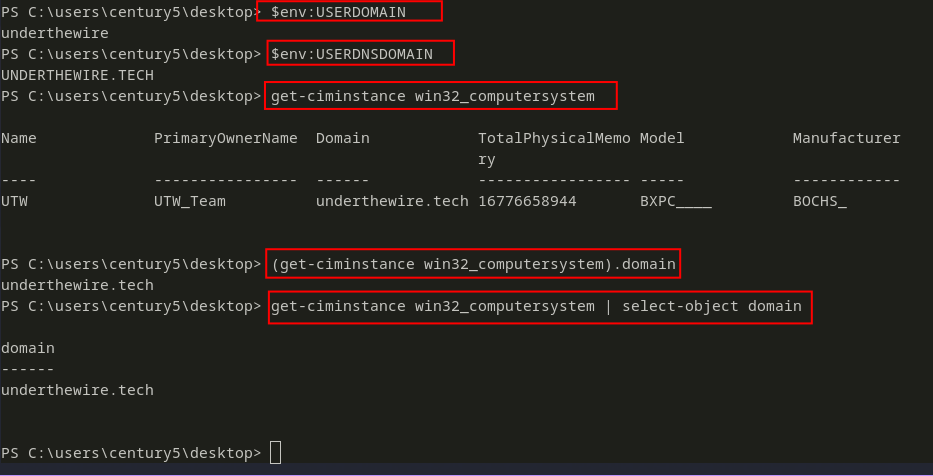
And the file on the desktop is -
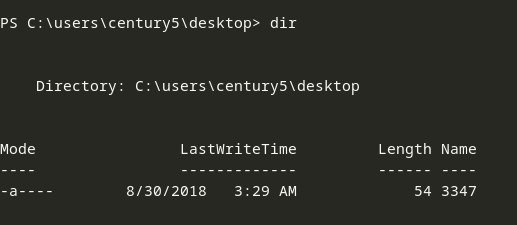
As the password is the shortname of the domain PLUS the filename, hence the password for century6 will beunderthewire3347
Century 6-7
This time we need to find the number of directories, so we will just use the -Directory flag with Get-ChildItem command.
Moreover as all the items in the Desktop directory are Folders, we can also proceed with dir

Hence the password for century7 is 197
Century 7-8
We need to do a recursive search
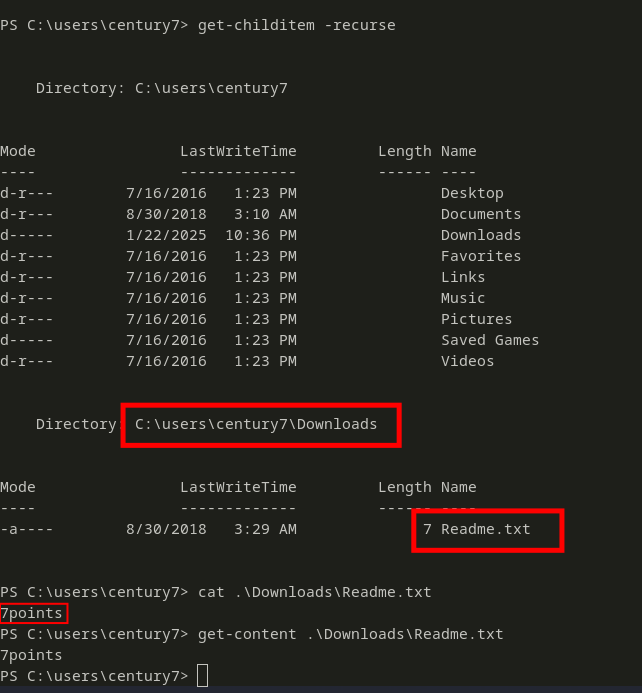
Hence, the password for century8 is 7points
Century 8-9
We need to get the number of unique words inside unique.txt file 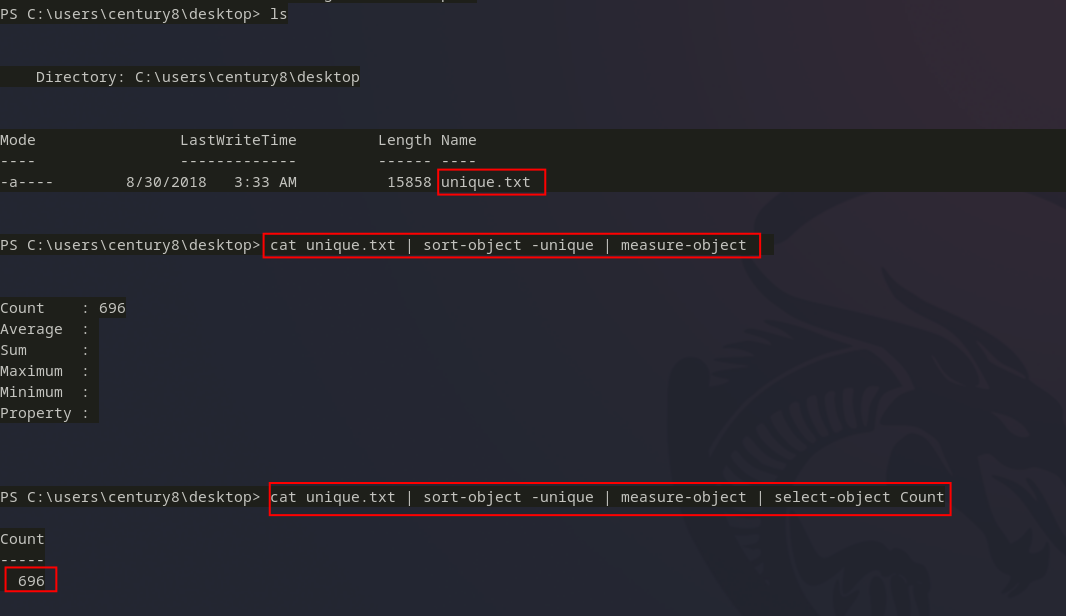
Intead of using cat, we can also use get-content.
Hence the password for century9 is 696
Century 9-10
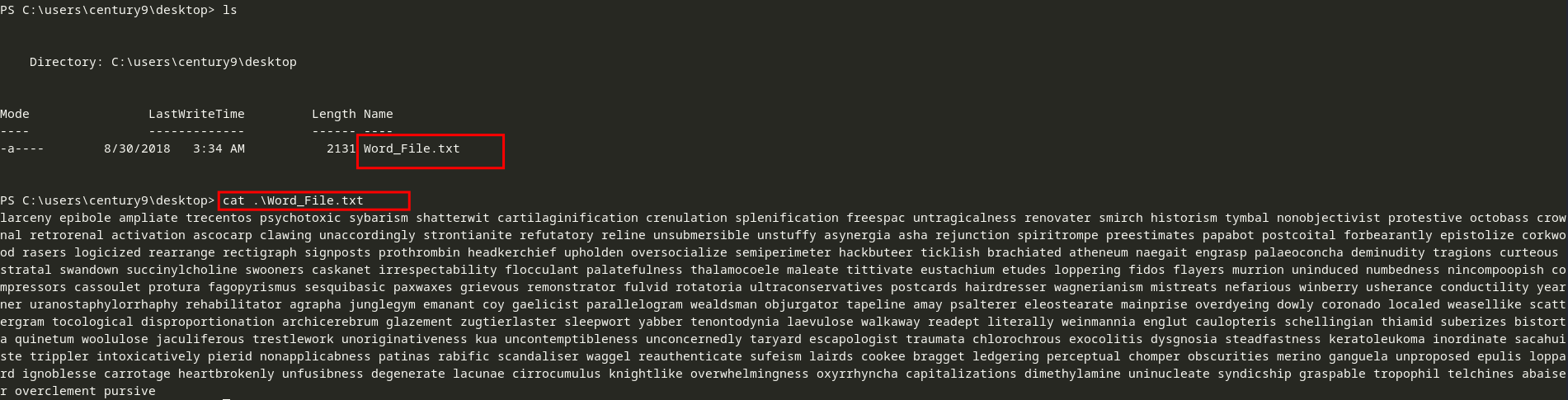
We can see, there are many words inside the .txt file, separated by spaces.
We can split the words and get the word at index 160 (i.e. the 161st word) 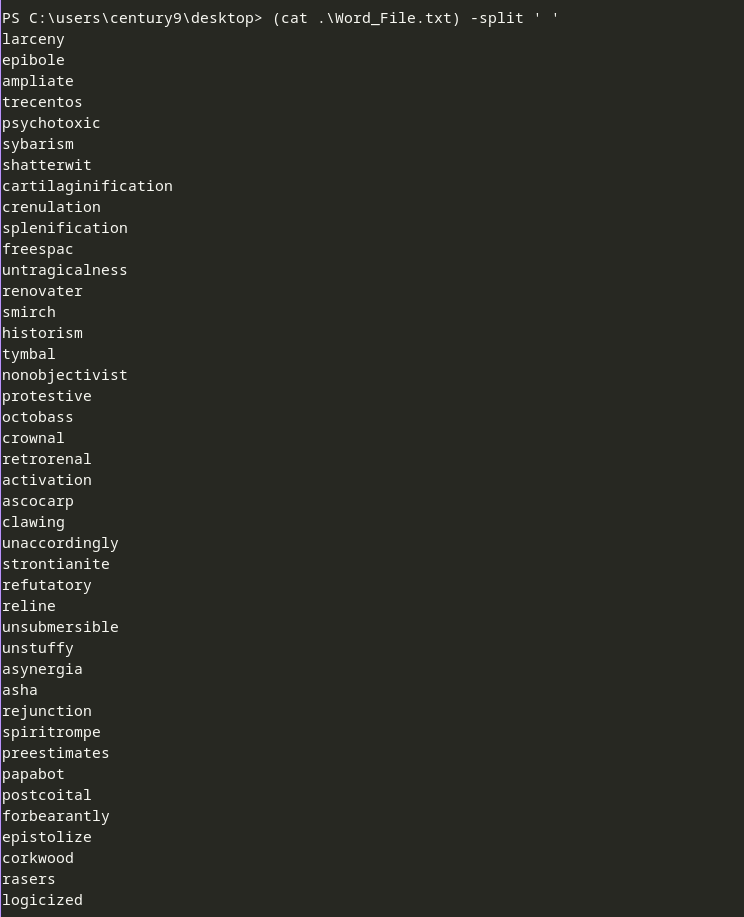

Hence the password for century10 will be pierid
Century 10-11
To list all the service we can do - 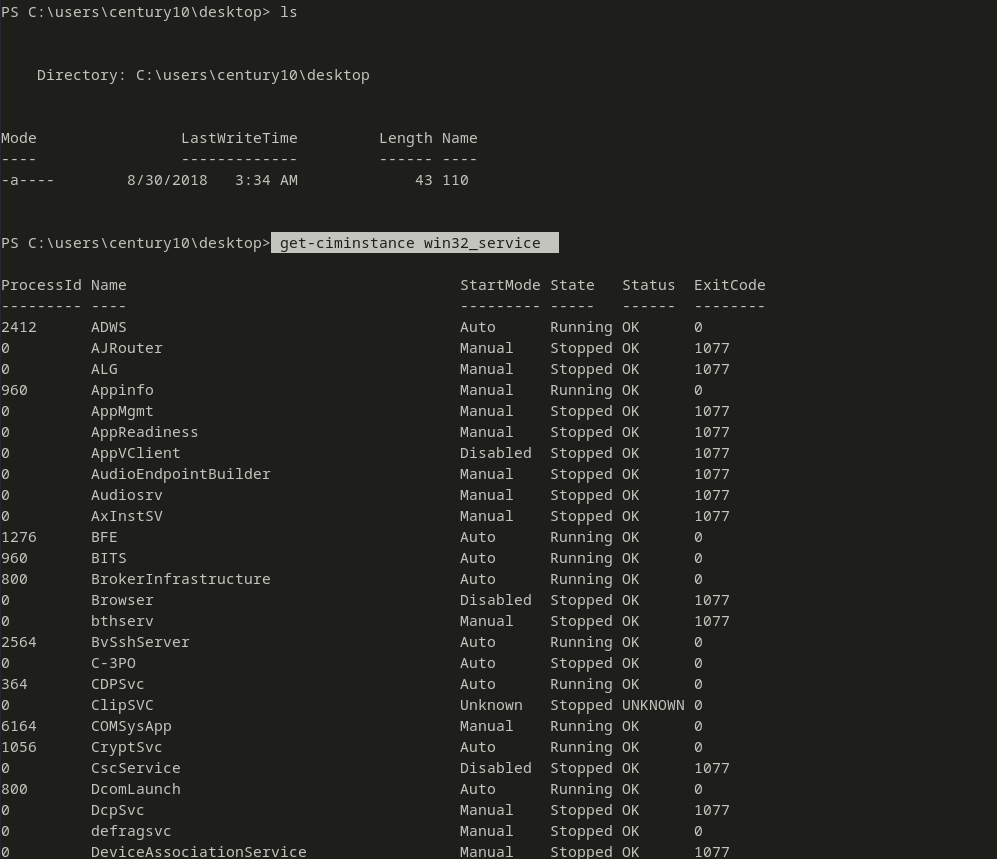
We need the Windows update service which is named as wuauserv. So, we will filter for that name.
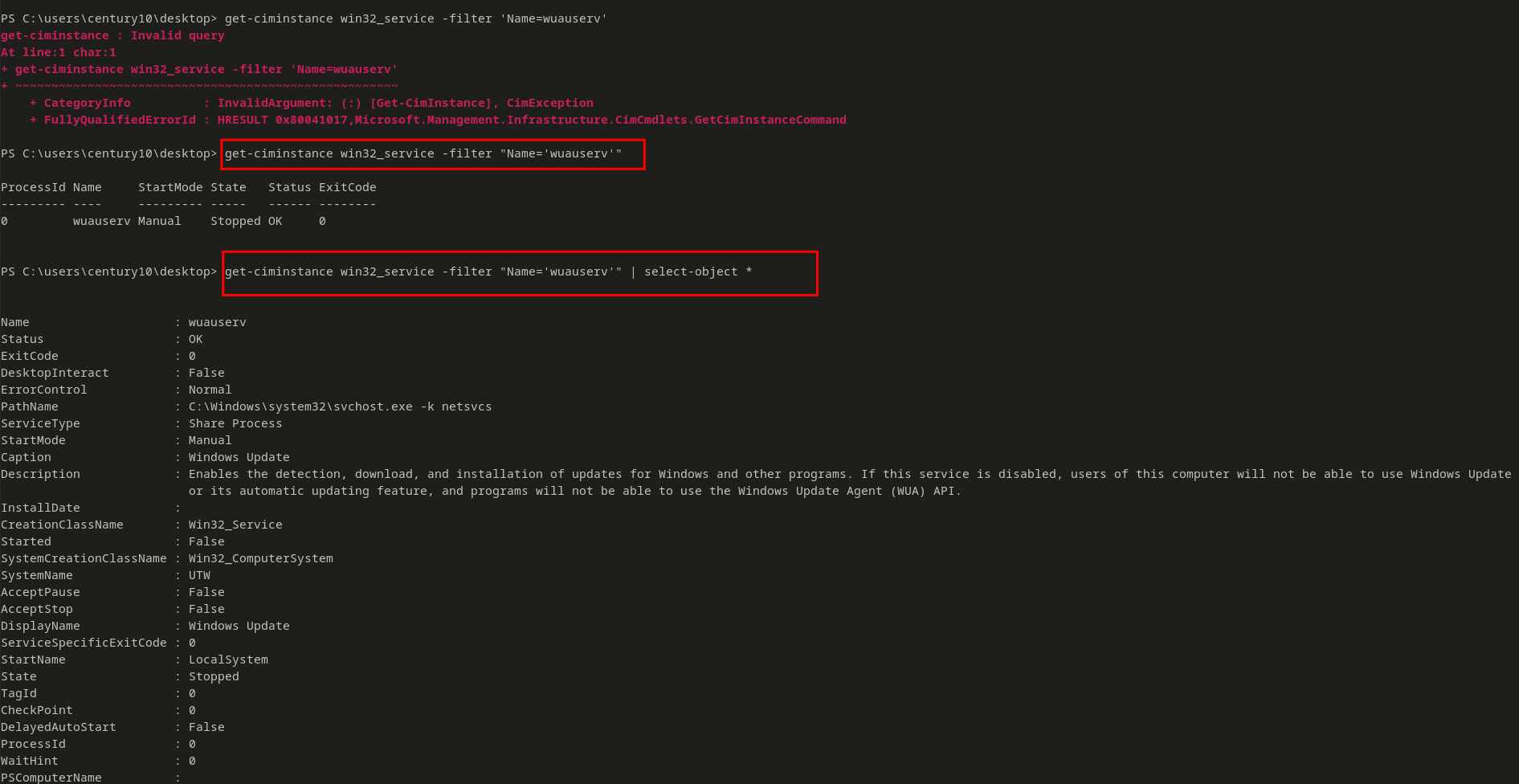
Now, out of that we only need the Description object 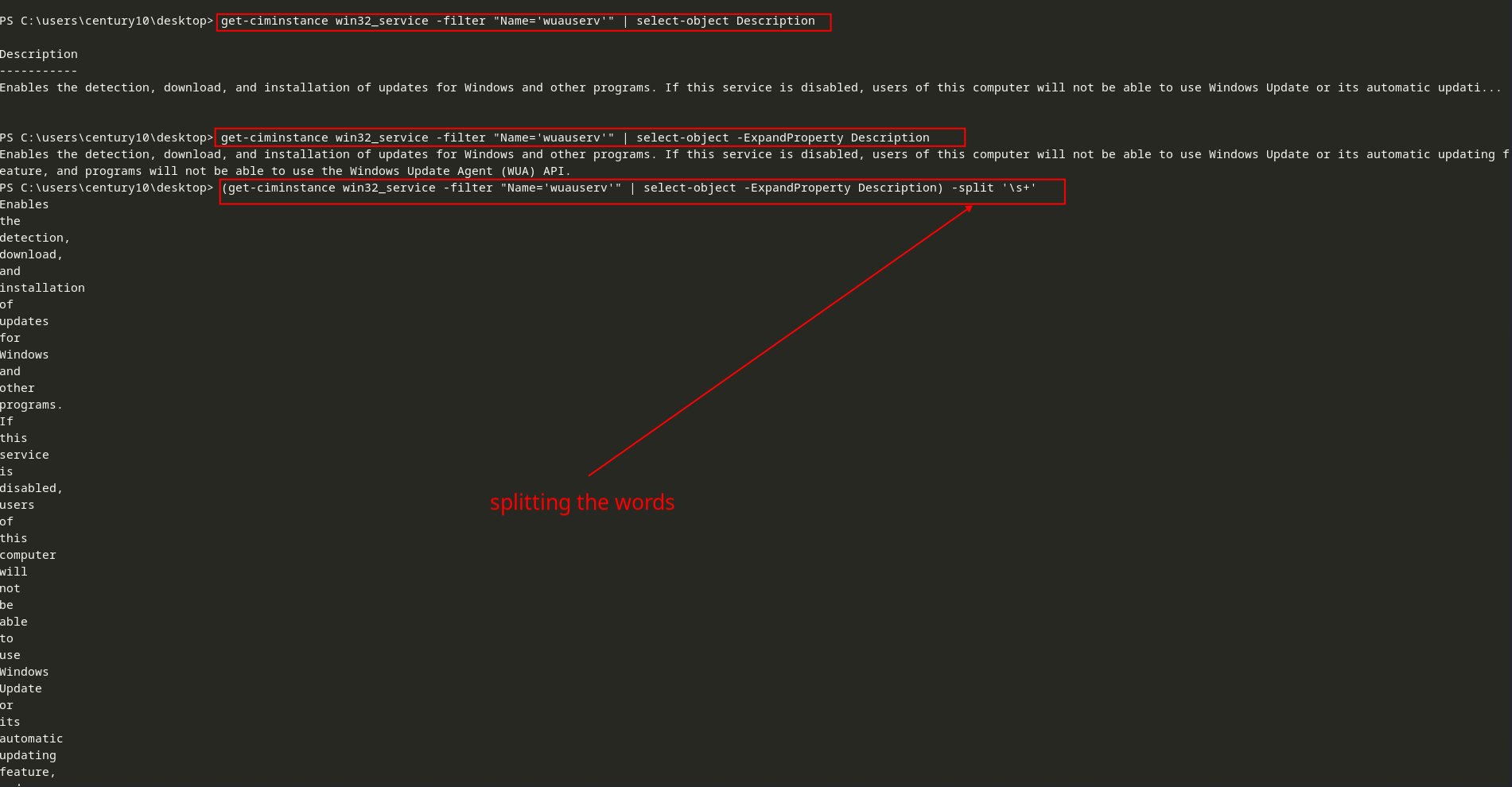
Now, we need to get the 10th and 8th words from the description, i.e. index 9 and 7. We can do that using the Select-object command with the -Index parameter, as we did in the earlier challenge.  Hence the 10th word and 8th word are
 windows and updates respectively and the name of the file is 110. So the final password for century11 would be windowsupdates110